
A success message is not acceptance proof
An email signup form QA checklist verifies what a person was told, what they chose, what the server accepted, what durable record was created, and whether future email eligibility respects preferences and suppressions. A green “Thank you” banner alone proves none of those things. The browser can show success after a timeout, an ignored error, a duplicate request, or a write that never reached the subscriber system.
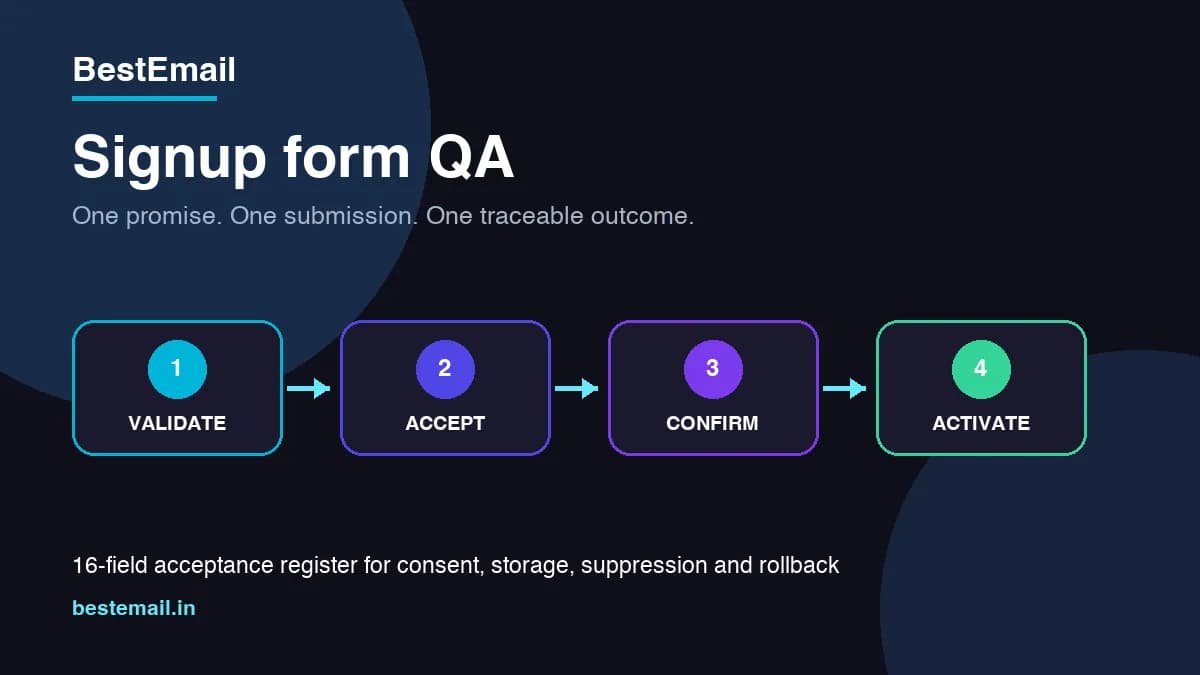
The safest launch principle is: one clear promise, one explicit submission, one traceable outcome, and no promotional send until the system can explain the subscriber's current eligibility.
1. Define the form contract before styling it
Write down the form's purpose, audience, fields, owner, destination, expected confirmation flow, and the exact content the person is asking to receive. A newsletter signup, gated download, webinar registration, contact request, product-access request, and transactional alert are not interchangeable.
The page should state what will happen next. If the form collects interest for product access, do not silently convert that request into an unrelated promotional list. If frequency varies, use honest bounded wording rather than inventing a weekly promise the editorial team may not keep.
Version the visible promise and consent text. When an operator later reviews a subscriber record, the evidence should identify which disclosure and choices existed at that time.
2. Ask only for information the workflow needs
W3C's accessible-form guidance recommends simple forms and avoiding irrelevant or excessive fields. For many newsletter forms, an email address is enough. A name can help personalization, but it should have a clear operational reason. Phone number, company size, country, job role, or birthday should not be collected merely because the form builder supports them.
For every field, record whether it is required, why it is needed, who uses it, and how long it should remain. Data minimization improves completion and reduces the amount of private information exposed when logs, exports, support tickets, or integrations are mishandled.
3. Make labels, instructions, and errors understandable
Placeholder text is not a durable label. Use a visible or programmatically associated label for each control. Explain formatting or unusual requirements before submission, not only after the person fails.
Test keyboard navigation, focus order, zoom, mobile layout, screen-reader announcements, contrast, error summary, and the relationship between each error and its field. Do not communicate an error only through color. Preserve entered values when correction is safe so the user does not have to start over.
Keep the action name specific: “Subscribe to deliverability updates” communicates more than “Submit.”
4. Keep optional marketing choices unselected
Yahoo's sender guidance says not to subscribe users with an automatically checked opt-in box and recommends confirming subscriptions. An optional marketing choice should require an affirmative user action. The disclosure should identify the sender, content category, and an easy way to stop future messages.
This is operational guidance, not a claim that one checkbox design satisfies every jurisdiction, audience, or data-protection rule. Legal/privacy review must set the exact wording, lawful basis, age rules, regional requirements, and evidence-retention policy where applicable.
5. Validate on both client and server
Browser validation improves usability but is not a trust boundary. OWASP recommends validating untrusted input as early as practical and checking both syntax and business meaning. The server should enforce expected data types, lengths, required fields, allowed values, normalization rules, and request size regardless of what the browser did.
Avoid pretending that a simple email pattern proves a mailbox exists or belongs to the person submitting it. Normalize cautiously; do not rewrite addresses using provider-specific assumptions that could merge different recipients. Keep raw diagnostic input out of public logs and error pages.
Validation reduces malformed data. It does not replace output encoding, authorization, rate limiting, secure storage, monitoring, or a broader application-security review.
6. Design abuse controls around the real risk
Public forms attract bots, scripted submissions, address bombing, repeated confirmation sends, and resource exhaustion. Define rate limits by appropriate dimensions such as source, form, address, and time window while accounting for shared networks and accessibility.
Honeypots, timing signals, CAPTCHA, reputation checks, and confirmation can help, but each has false-positive and privacy costs. Do not claim a CAPTCHA makes the form secure. Use layered controls and a review path for legitimate users who are blocked.
Never reveal whether a private address already exists in a way that enables account or subscriber enumeration.
7. Give every request a traceable result
Generate or preserve a request identifier that can connect the browser submission, server log, durable record, confirmation event, and support investigation without exposing the address publicly. Define response states such as:
- accepted and stored;
- accepted, confirmation pending;
- already subscribed with no preference change;
- suppressed or not eligible;
- validation rejected;
- rate limited;
- temporary service failure;
- unknown because final evidence is absent.
Return a user-safe message for each state. Do not show unconditional success after an exception or ignore a non-success HTTP response. If the durable result is unknown, say the request could not be confirmed and provide a safe retry/support path.
8. Prevent duplicate writes and confirmation storms
Double-clicks, browser retries, mobile reconnects, proxy retries, and impatient users can repeat a request. Use a stable deduplication or idempotency strategy appropriate to the form contract. A repeated identical request within the control window should not create multiple active subscriber records or send an unlimited series of confirmations.
Record whether an existing contact was unchanged, refreshed through an approved policy, moved to confirmation pending, or held because suppression/preference evidence has precedence. Never reactivate a complained, bounced, or unsubscribed address merely because it appears in a fresh form submission.
9. Decide confirmation behavior explicitly
Confirmation can reduce accidental, malicious, mistyped, and bot-generated subscriptions. Yahoo recommends an email confirmation click for opt-in lists. Define whether the active workflow uses single opt-in, confirmation pending, or another reviewed model; do not imply that every BestEmail form automatically uses double opt-in unless the active implementation proves it.
If confirmation is used, record the message identity, expiry, maximum resend count, invalid/expired-token behavior, and the transition from pending to active. A confirmation request is not permission to begin the full newsletter sequence.
10. Preserve acquisition source without inventing attribution
Capture the form/page identifier, campaign parameters that are genuinely present, referral context allowed by the privacy policy, timestamp, and consent version. Sanitize values and avoid placing email addresses or private tokens in analytics URLs.
Differentiate “last page before submit,” “declared campaign source,” and “verified business attribution.” A UTM value can be missing, overwritten, copied, or forged. It is useful evidence, not universal proof that one channel caused the signup.
11. Apply preferences and suppressions before activation
The subscriber system needs an authoritative precedence order. Current unsubscribe, complaint, hard-bounce, block, legal hold, or account-status evidence should not be bypassed by form import, duplicate contact creation, another site, or an automation retry.
Define what a returning user can do safely. A new affirmative request may require confirmation or manual review depending on the prior state and policy. Do not erase historical evidence or silently mark every prior suppression as active.
Google and Yahoo emphasize low complaint rates, permission-based sending, clear expectations, authentication, and easy unsubscribe. Acquisition QA is therefore part of deliverability operations, not just conversion optimization.
12. Keep success pages and analytics honest
The success state should match the durable backend state: “check your inbox to confirm” for pending confirmation, “request received” for a lead awaiting review, and “subscribed” only when active subscription is actually proven.
Track the funnel with privacy-safe events such as rendered, attempted, validation rejected, accepted, confirmation sent, confirmed, duplicate, suppressed, rate limited, and failed. Document denominators. A high submit count with low durable acceptance may indicate abuse, integration failure, confusing validation, or broken confirmation—not marketing growth.
13. Monitor the complete path
Monitor more than HTTP uptime. Track accepted-to-stored mismatches, confirmation queue age, delivery failures, repeated requests, rate-limit spikes, form-version drift, source-attribution gaps, suppression conflicts, and error-message regressions.
Assign an owner and response window. Keep a safe synthetic test identity separated from real subscribers and remove or retain it according to the approved test policy. Never use customer addresses as monitoring probes.
14. Test failure and recovery before launch
Use internal non-customer identities to test valid input, invalid syntax, boundary lengths, duplicate submission, blocked scripting, keyboard-only use, narrow mobile viewport, slow response, server validation rejection, rate limiting, durable-store failure, confirmation expiry, and temporary confirmation-delivery failure.
Verify that every path produces an accurate user state and an operator-visible trace. Test rollback by disabling or reverting the exact form version without deleting collected evidence. A launch is not complete until failure behavior is as understandable as the happy path.
15. Reconcile counts after the controlled test
Use a simple control equation:
`submission attempts = validation rejects + rate-limited/blocked + accepted requests + unresolved failures`
Then reconcile accepted requests into durable duplicates, pending confirmations, active subscribers, suppressed/held records, and storage exceptions without double counting retries. Any unexplained difference stays open with an owner and evidence; it is not rounded away.
16. Fit BestEmail to the verified workflow
BestEmail currently presents hosted or embeddable forms, public form endpoints, lead capture, admin submission tracking, consent-aware collection patterns, subscriber organization, deduplication, campaign workflows, guided sender-domain authentication, and support. Treat these as the starting acceptance scope.
Review the email warmup checklist and Google Postmaster Tools checklist alongside this acquisition QA.
Before claiming automatic double opt-in, bot protection, immutable consent evidence, cross-site preference reconciliation, idempotent writes, confirmation retry protection, or a particular monitoring dashboard, verify the active form path and plan. BestEmail cannot make an unclear promise, unsafe list, or broken integration safe by itself.
FAQ
Does a valid email address mean the person consented?
No. Syntax validation checks format, not identity, ownership, permission, intent, or current eligibility. Keep consent/preference evidence separate from address validity.
Should every signup use double opt-in?
Confirmation is a strong list-quality control and Yahoo recommends it, but the exact model depends on the workflow, audience, jurisdiction, and approved policy. Verify the active BestEmail capability instead of assuming it.
Can the form say “subscribed” before the database write finishes?
Only if the product has durable evidence that the active subscription state exists. Otherwise use an accurate pending, received, or unconfirmed state.
Should a new signup reactivate an unsubscribed address?
Not automatically. Suppression and preference precedence, confirmation, evidence retention, and reactivation rules need an approved policy and a traceable result.
Is CAPTCHA enough to stop signup abuse?
No. CAPTCHA is one possible signal. Rate limits, validation, deduplication, confirmation controls, monitoring, privacy review, and operator response are also needed.
What should be tested without touching real subscribers?
Use approved internal identities to test validation, duplicate requests, confirmation, rate limiting, failure states, accessibility, durable storage, reconciliation, and rollback. Do not use customer addresses or send real campaigns for editorial proof.