
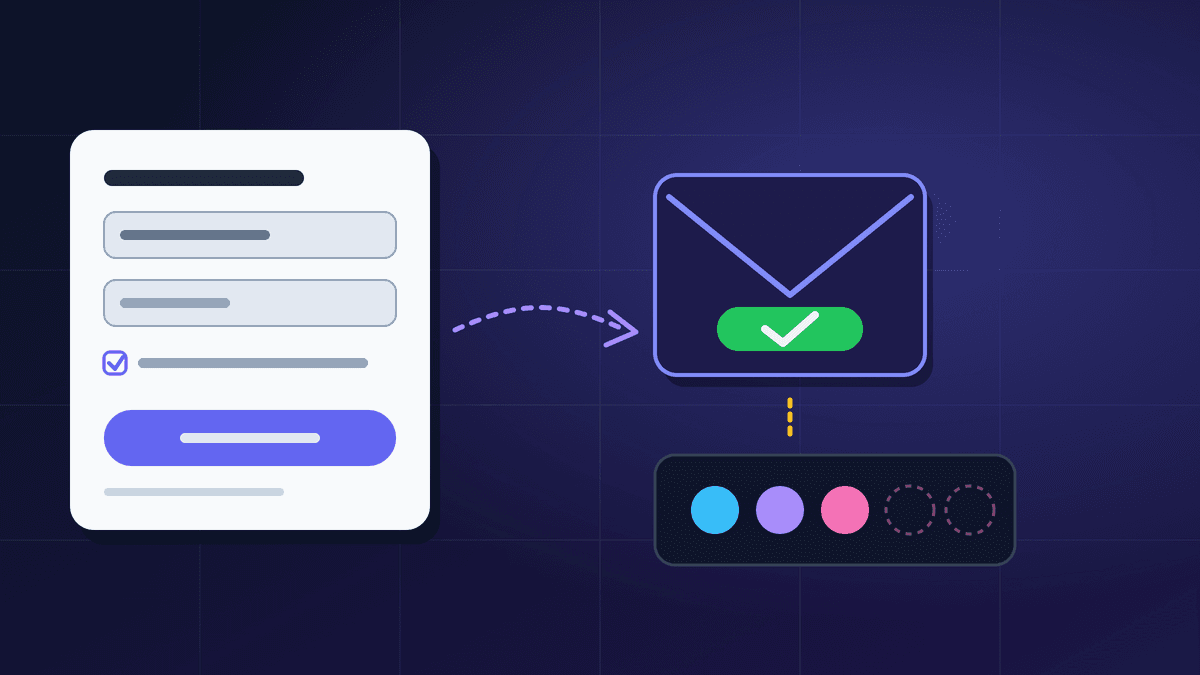
Double opt-in means a new subscriber must click a link in a confirmation email before they join your list. Single opt-in adds them the moment they submit the form. Double opt-in gives you a smaller but cleaner list and proof that the mailbox owner asked to be there; single opt-in gives you faster growth and more bad addresses. Which one is right depends on how much you value list quality, and on the rules that apply to the people you email.
This guide compares the two methods side by side, shows what Google and Yahoo say about confirming subscribers, explains the legal angle in plain terms, and gives a simple way to decide. It is written for small teams and Indian businesses that collect email addresses through website forms, checkouts, events and lead magnets.
What each method actually does
Single opt-in. Someone types their address into a form and is added to your list immediately. They usually get a welcome email, but nothing has to be confirmed. The only check is whether the form accepted the address.
Double opt-in (also called confirmed opt-in). The form submission creates a pending contact. You send one email with a confirmation link, and the person is added to the list only after clicking it. If they never click, they never receive your campaigns.
The difference is one extra step, but it changes who ends up on your list:
- With single opt-in, a typo such as "gmial.com" becomes a bounce on your first send, and someone can enter another person's address and sign them up without their knowledge.
- With double opt-in, a mistyped address never receives the confirmation, so it never joins. A stranger who signs up someone else cannot confirm for them, because the email goes to the real owner who simply ignores it.
What Gmail and Yahoo say
Both providers speak about this in their sender guidance.
- Google lists, under making it easy to subscribe, that you should make sure recipients opt in to get your messages and confirm each recipient's email address before subscribing them. It also advises against sending to people who did not sign up, and against opt-in forms that are checked by default.
- Yahoo's Sender Hub has a best practice titled "Use OPT-IN method to confirm user subscriptions": when users subscribe, send them an email asking them to click to confirm. Elsewhere it advises reducing invalid recipients by using double or confirmed opt-in, and warns against subscribing users with a pre-checked box.
Neither provider says that single opt-in is forbidden, and neither publishes a number such as "confirmation reduces complaints by X per cent". What they do make clear is that confirming addresses is the recommended way to avoid invalid recipients and unwanted mail. Read both pages before you plan around them, because the wording is updated from time to time. Links are at the end of this post.
Double opt-in vs single opt-in at a glance
- Steps for the subscriber. Single: submit the form. Double: submit the form, then click the email link.
- List growth. Single: faster, every signup counts. Double: slower, because some people never confirm.
- Typos and fake addresses. Single: they get through and bounce later. Double: mostly stopped at the confirmation.
- Signing up someone else. Single: possible. Double: blocked unless the owner confirms.
- Proof of consent. Single: only a form record. Double: a form record plus a confirmation click.
- Risk to sender reputation. Single: higher, from bounces and complaints. Double: lower, because the list starts cleaner.
- Setup effort. Single: minimal. Double: a confirmation email and a pending state.
The trade-offs in plain words
You will lose some signups with double opt-in. Some people do not see the email, it lands in spam or Promotions, or they simply forget. That loss is real, but those contacts were also the least likely to read your emails. We have not published a benchmark for the drop because it varies with the audience and the offer, so measure your own confirmation rate rather than trusting a generic figure.
You will keep bad addresses out. Hard bounces teach mailbox providers that you do not maintain your list. The bounce codes guide explains what the 5xx replies mean and why you should stop sending to them. A confirmation step stops most of those addresses at the door.
The first email must arrive. Your confirmation message is the first mail the subscriber sees from your domain, so it needs working authentication. If SPF, DKIM and DMARC are not set up, the confirmation can go to spam and the signup is lost. Our DKIM and SPF guide covers the basics.
Single opt-in is not the same as no consent. A person who typed their address into a clear form, next to a plain statement of what they will receive, has opted in. The weakness is that you cannot easily prove it was the owner of the mailbox.
The legal side, briefly
This is general information, not legal advice. Ask a qualified adviser about your own list.
Under the GDPR, which applies to people in the European Union, Article 7 says that where processing relies on consent, the controller must be able to demonstrate that the person consented. A double opt-in log (the signup time, the confirmation time and the wording shown) is a practical way to show that, which is why many European senders use it as standard. Pre-ticked boxes are also a problem in that context, a point Google and Yahoo both echo for deliverability reasons.
Rules differ by country. Some regions allow marketing email to people who have not actively opted in, as long as there is an easy way to unsubscribe; others require prior consent. If you email subscribers in more than one region, the stricter rule is usually the safer default. Our guide to GDPR and Indian email laws explains how this fits Indian businesses.
How to choose
Use this as a quick decision guide.
- 1. Do you email people in the EU or UK, or need an audit trail? Choose double opt-in.
- 2. Do you collect addresses from low-intent places (giveaways, pop-ups, event sign-in sheets, checkout boxes)? Choose double opt-in, because typos and throwaway addresses are common there.
- 3. Is your list small and high-intent, such as customers who just bought, or a booking form where the address is also used for the booking? Single opt-in with a welcome email is usually acceptable, provided you monitor bounces.
- 4. Are you already seeing high bounces or complaints? Move to double opt-in for new signups and run a re-engagement campaign on the old list.
- 5. Not sure? Start with double opt-in on your main newsletter form and compare it with your single opt-in sources for a month.
How to set up double opt-in well
A confirmation step can help or hurt depending on how it is built.
- Say what is about to happen. After the form is submitted, show a page that says "Check your inbox to confirm", names the sender and warns that it may take a minute.
- Send the confirmation immediately. Delays make people forget what they signed up for. Use a clear subject such as "Please confirm your subscription to [your brand]" and avoid hype.
- Keep the email short. One sentence about what they signed up for, one prominent button and a plain-text fallback link. Do not add promotions to it.
- Make the link expire sensibly and be reusable once. Let people request a new confirmation if the first one expires.
- Allow one reminder. A single follow-up a day or two later is reasonable. Do not keep chasing.
- Record the evidence. Store the signup time, the source form, the wording shown and the confirmation time for each contact.
- Do not email unconfirmed contacts. If someone has not confirmed, they are not on your list for campaigns.
- Send a welcome email once confirmed. The confirmation page is the best moment to set expectations; the welcome email series guide shows what to send next.
Pair this with a signup form that is honest and short. Our guide to email signup form design covers fields, placement and consent wording.
Mistakes to avoid
- Pre-ticked consent boxes. Both Google and Yahoo advise against automatic opt-in boxes.
- Using the confirmation email to promote. It should confirm, nothing more.
- Importing a list and calling it opted in. Buying or renting addresses is a fast way to complaints and blocks. Google's guidance says not to send to people who did not sign up.
- Treating "did not confirm" as a delivery problem only. Check the email for spam placement, but accept that some people choose not to confirm.
- Never cleaning the list afterwards. Both Google and Yahoo suggest periodically checking that subscribers still want mail. Opt-in at the start does not replace list maintenance.
Where BestEmail fits
BestEmail's features include forms and lead capture, subscriber management, and unsubscribe and suppression handling, and the sender setup is built around domain authentication so that your first emails reach the inbox. Whichever opt-in method you choose, keep a record of when and where each subscriber joined, and make sure people who opt out stay out of later sends.
FAQ
Is double opt-in required by law?
Not everywhere. Some laws require prior consent, and double opt-in is a convenient way to prove it; others focus on easy opt-out. It is a choice you make based on your audience and region, and a legal adviser can confirm what applies to your list.
Does double opt-in improve open rates?
It usually produces a list of people who have shown they can receive and act on your email, which tends to help engagement. We do not quote a specific improvement because results vary by sender, so compare your own single and double opt-in sources.
Will double opt-in lose me subscribers?
Yes, some. People who do not confirm never join. They are generally the least engaged contacts, but you should still track your confirmation rate and test the confirmation email and the thank-you page.
What if the confirmation email goes to spam?
Check your authentication records, keep the message short and free of promotional language, and ask people on the thank-you page to look in their spam and Promotions tabs. See our Gmail Promotions tab guide for why messages land there.
Can I switch from single to double opt-in later?
Yes, for new signups. For your existing list, send a re-engagement or reconfirmation message to inactive contacts and remove those who do not respond, as both Google and Yahoo suggest doing periodically.
Sources
- Google: Email sender guidelines
- Yahoo Sender Hub: Sender best practices
- GDPR text: Article 7, Conditions for consent